AirGuide
End-to-End App
Project Scope
Role
UX Research, Branding, UX/UI Design
Duration
100 Hours
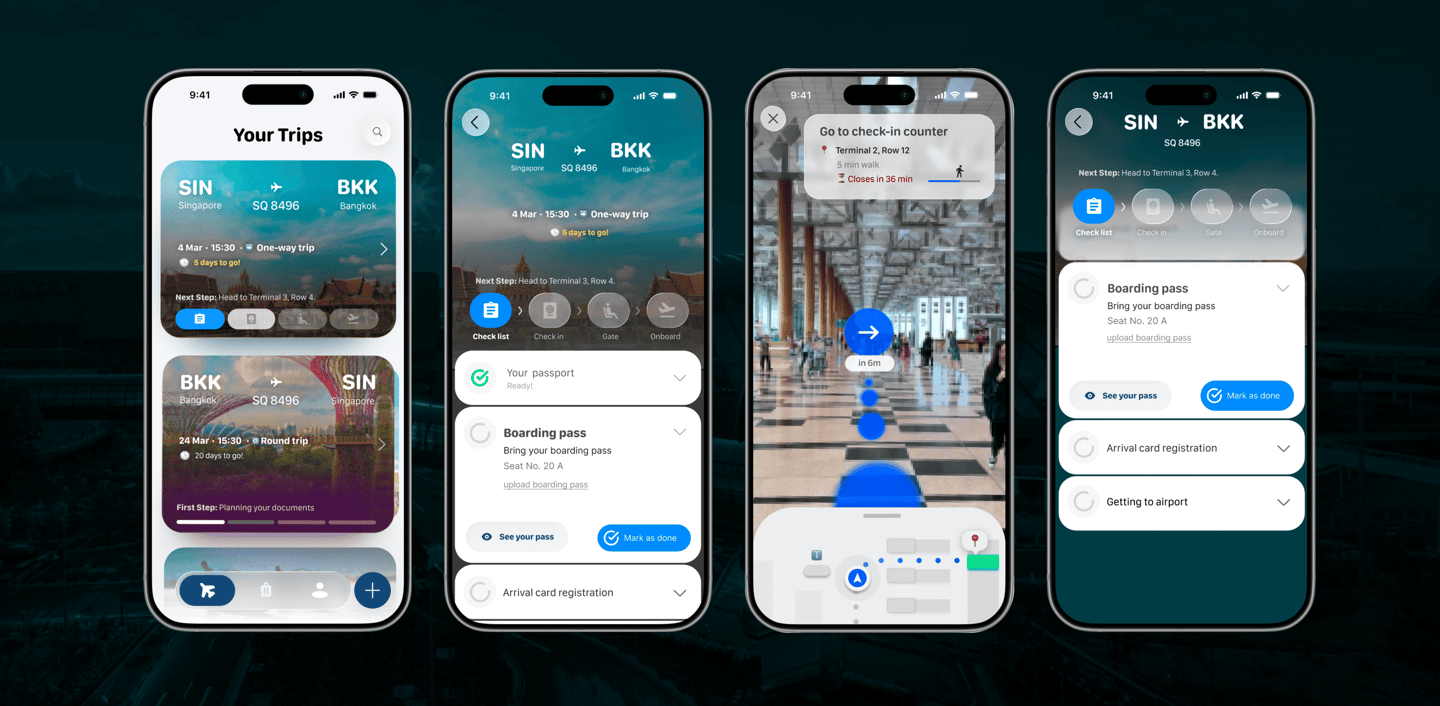
AirGuide is a Universal Wayfinding System that utilizes a Progressive Disclosure strategy. It delivers only the most critical information—at exactly the moment the passenger needs it. Built on the principles of Soft Minimalism and Cognitive Ease, AirGuide utilizes Proximity-Based Wayfinding to replace airport confusion with guided, effortless passenger flow. It is more than an interface; it is a personalized transit companion.
The Problem
Opportunity
👉 A system that tells you what to do next.
👉 The experience is not designed for beginners.
What if Airports felt guided?
Not Just information, but step-by-step direciton.
Airports are confusing.
Too many steps.
Too many decisions.
First-time travelers feel lost.
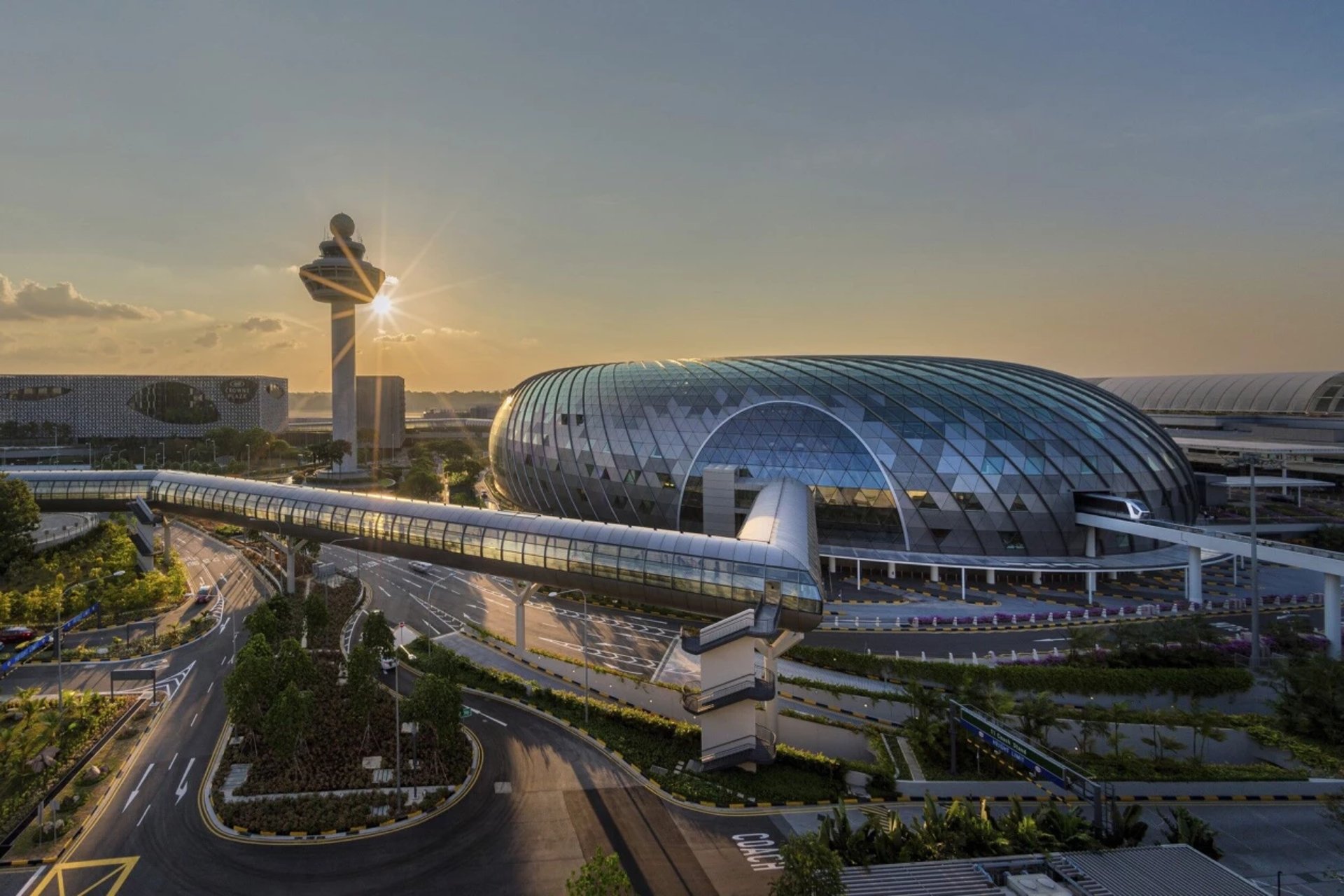
🌍 “A universal travel system”
Flight Data → Airport API → AirGuide → User
👉 Works across any airport
Research Objectives
Through user interviews and contextual research, I aimed to understand how first-time travelers experience airport environments and identify opportunities to reduce confusion and stress throughout their journey.
First-Time Travelers
Individuals aged 18–35 with little to no airport experience.
Often feel anxious, rely heavily on instructions, and are unfamiliar with airport procedures.
Occasional Travelers
Individuals who travel infrequently and are not fully confident navigating airports independently.
Still rely on signage, staff, or others for guidance during key steps.
Group #2
Group #1
Interviews were conducted remotely and in-person with 5 participants across different travel experience levels. *
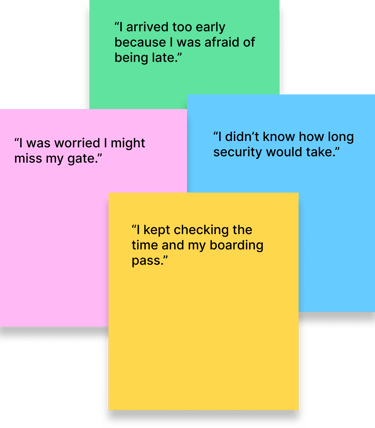
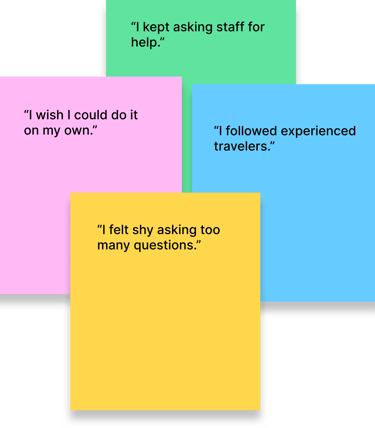
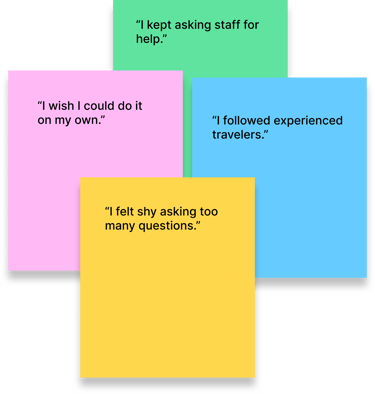
I conducted interviews with first-time and occasional travelers to understand their experiences, behaviors, and emotional challenges within airport environments. Using affinity mapping, I grouped insights into the following themes:
User Interviews:
Uncovering Core Needs
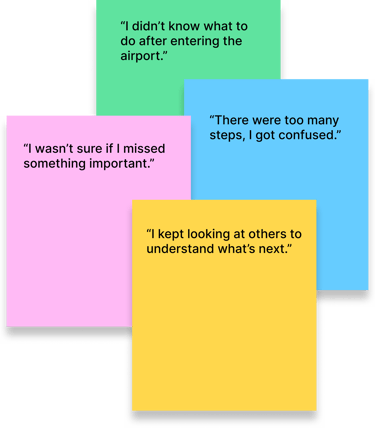
Confusion in Airport Processes
Anxiety Around Timing
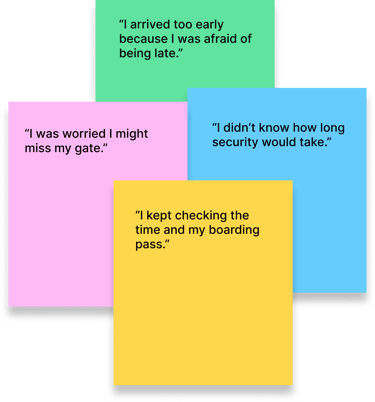
Difficulty Navigating the Airport
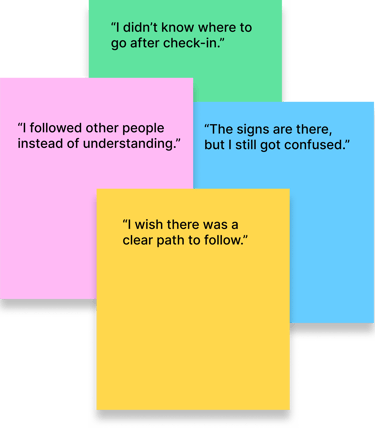
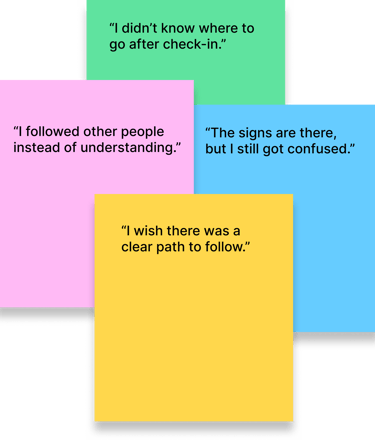
Information Overload
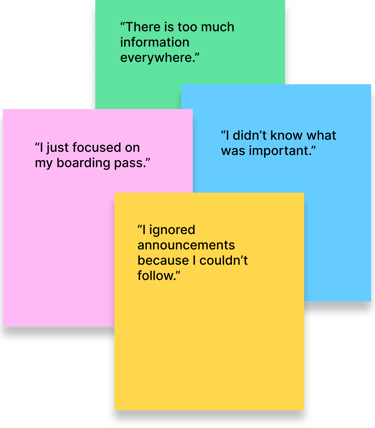
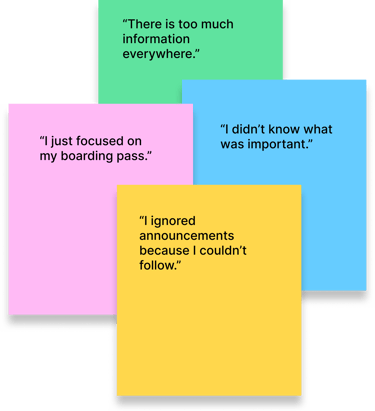
Reliance on Others
After synthesizing interview data,
I identified key patterns that informed
the design direction.
Research Insights
Users need step-by-step guidance
First-time travelers feel overwhelmed by the number of airport processes.
They rely on observing others or asking for help to figure out what to do next.
After synthesizing interview data, key patterns emerged that highlighted the core challenges travelers face throughout their airport journey.
Uncertainty increases anxiety
Unclear timing — such as security duration or boarding schedules — creates stress and leads to over-preparation or hesitation.
Navigation feels unclear
Airport signage and maps alone are not enough.
Users want clear, step-by-step directions instead of interpreting information themselves.
Users depend on others for confidence
Many travelers rely on staff or experienced passengers for reassurance.
This highlights a lack of confidence in navigating the airport independently.



Guide users step by step
Users should never have to guess what to do next.
Each stage should provide clear, actionable instructions.
Make navigation directional
Instead of relying on maps alone, guide users with clear, step-by-step directions that tell them exactly where to go.
Build confidence through guidance
The experience should reduce reliance on others by providing reassurance and clear guidance at every step.

Clarity over complexity
Airports are already overwhelming environments.
The interface should simplify decisions by presenting only what matters at each step.

“CONFUSION IS THE REAL DELAY.”
Designing the Airport Journey
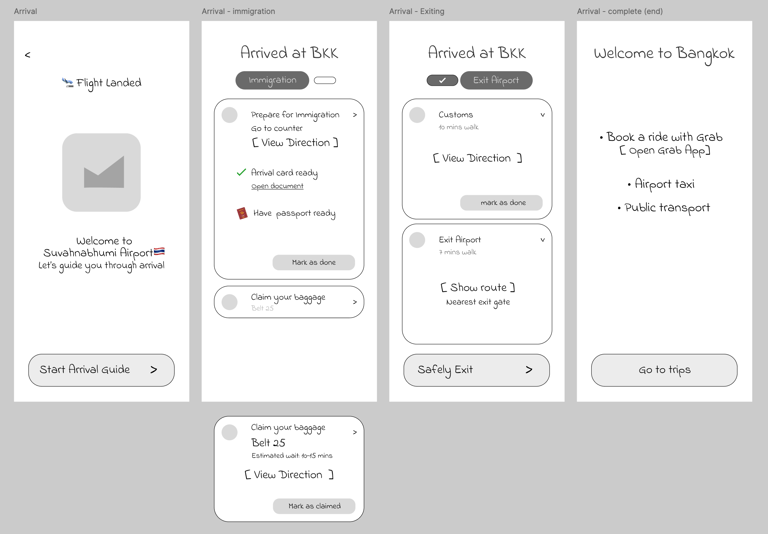
To reduce confusion across different travel scenarios, the information architecture was designed around two primary user journeys: Departures and Arrivals.
Each flow mirrors real-world airport processes, helping users move through unfamiliar airports with more clarity and confidence.
Check-in 🏢 → Immigration 🛂 → Security 🛡️ → Gate📍→ Boarding ✈️
Departure Flow: (leaving a country)
Arrival 🛬 → Immigration 🛂 → Baggage Claim 🧳 → Exit 🚪
Arrival Flow: (landing in a country)


Departure:
Arrival:


Transit 🔄 → Transfer Area 🏢 → Security 🛡️ / Immigration 🛂 → Gate 📍→ Boarding ✈️
Transit Flow: (Connecting flights)
Transit:
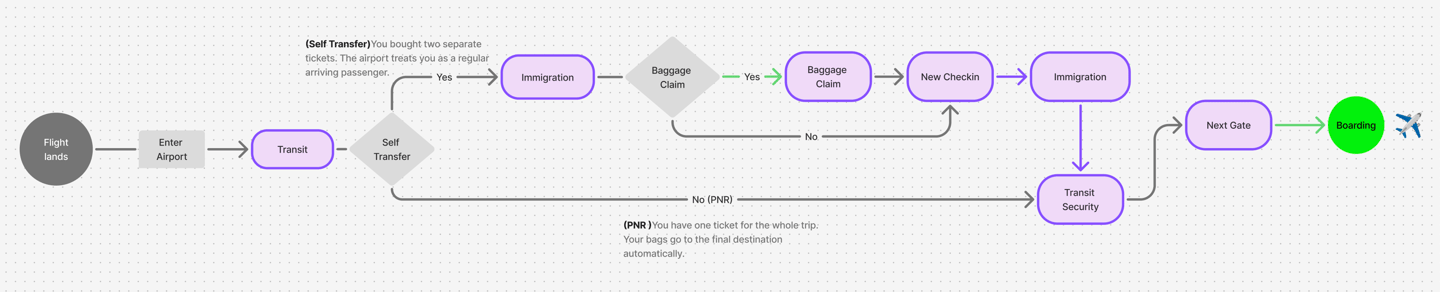

Steps may vary depending on airport and airline transfer requirements.
User Flows
Target User
First-time / Infrequent Travelers
Limited familiarity with airport processes
High reliance on clear instructions
Easily overwhelmed by too much information
Goal
Design a simple and clear experience that:
Guides users step-by-step through the airport
Shows what to do next at each stage
Reduces stress and uncertainty
Lo-fi Prototypes
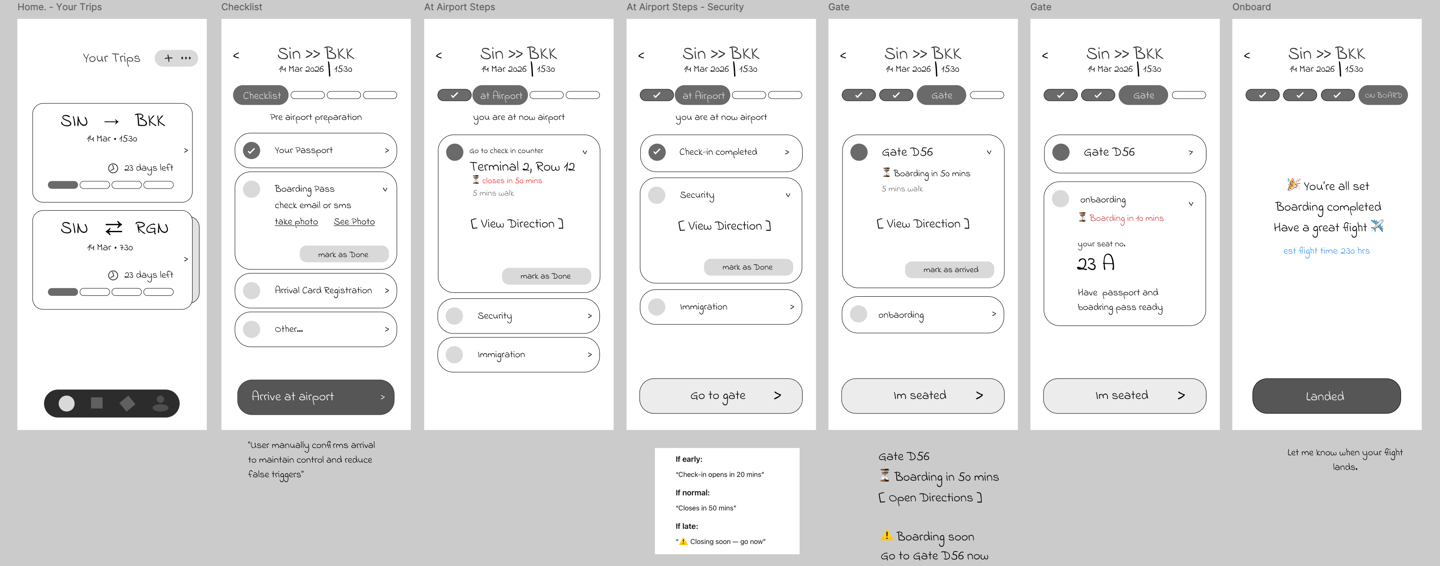
Low-fidelity prototypes were created to map user flows and structure the experience into two key journeys: Departuresand Arrivals.
Visual Identity & Design Direction
The visual direction was designed to create a calm and trustworthy experience in a high-stress environment. I focused on clarity, soft visual hierarchy, and subtle feedback to support users without overwhelming them.
The icon represents movement and guidance, inspired by travel direction and flow. The form is kept simple and recognizable to ensure clarity at small sizes while reflecting the core idea of navigation.
App icon
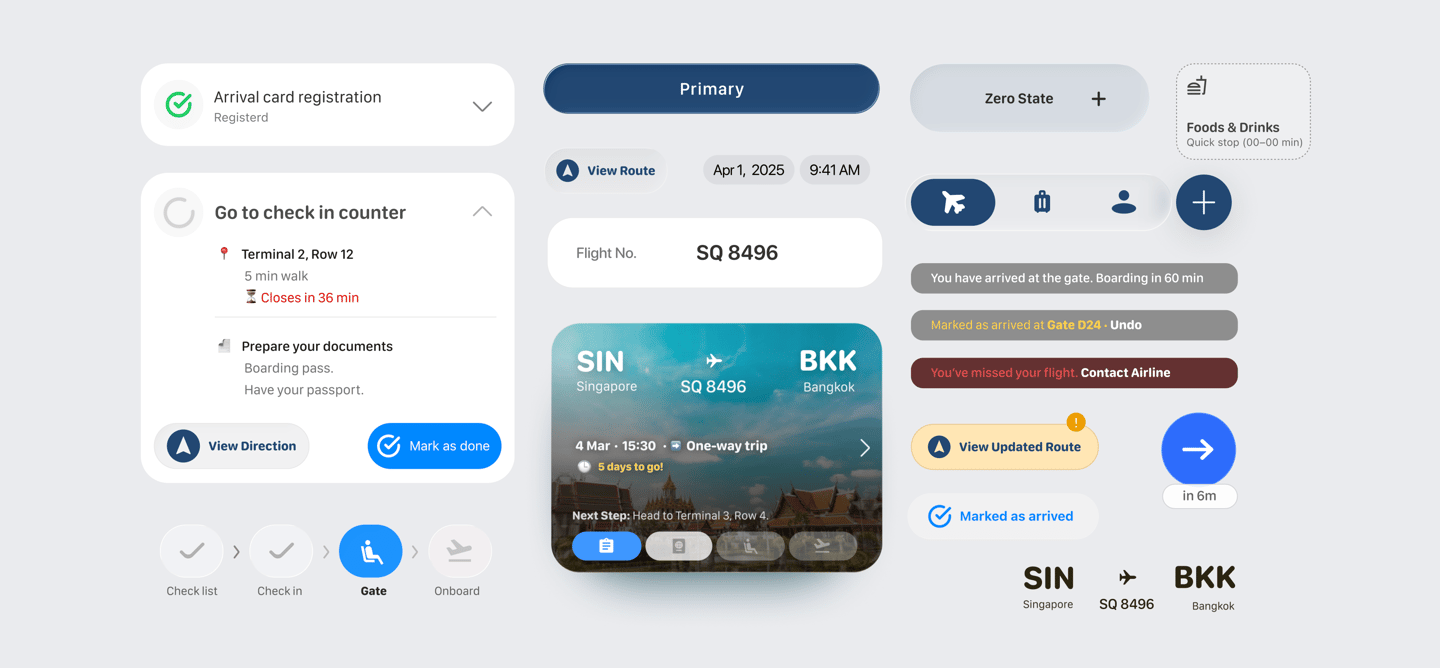
The system standardizes UI components, interaction patterns, and visual language across the entire product.




Each trip uses destination-based imagery to create a sense of place and progress. This helps users feel connected to their journey while maintaining clarity in functional tasks.
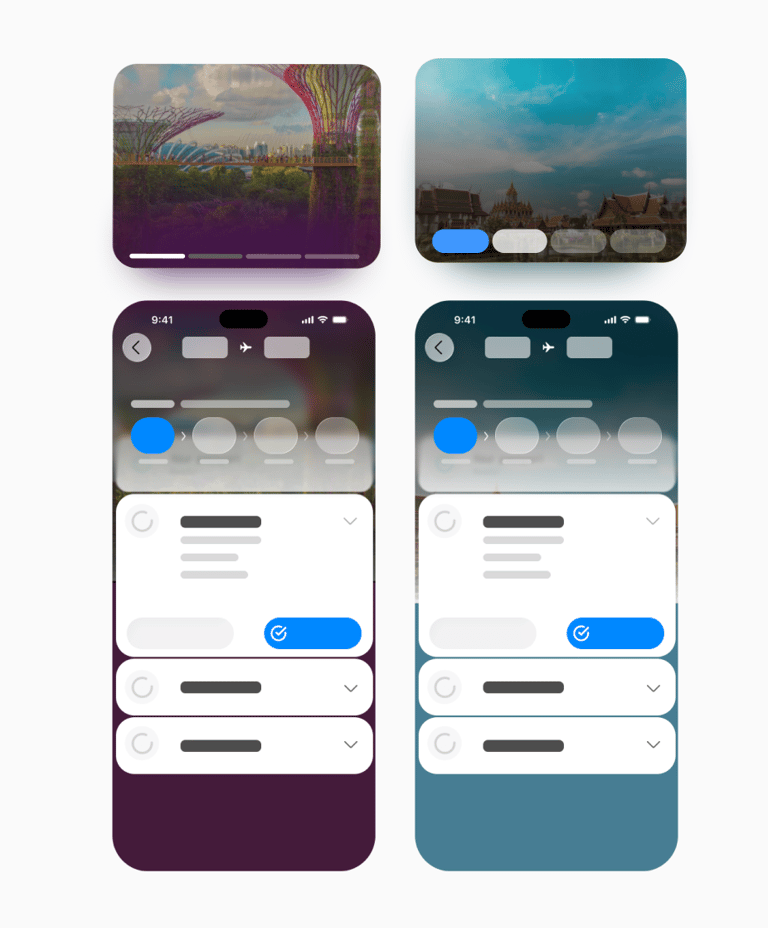
The visual system is designed to reflect the journey itself. Instead of static colors, the interface adapts based on real-world destinations, using photography and color to create a more immersive and contextual experience.
" Users don’t need more features —
they need clarity at the right moment."
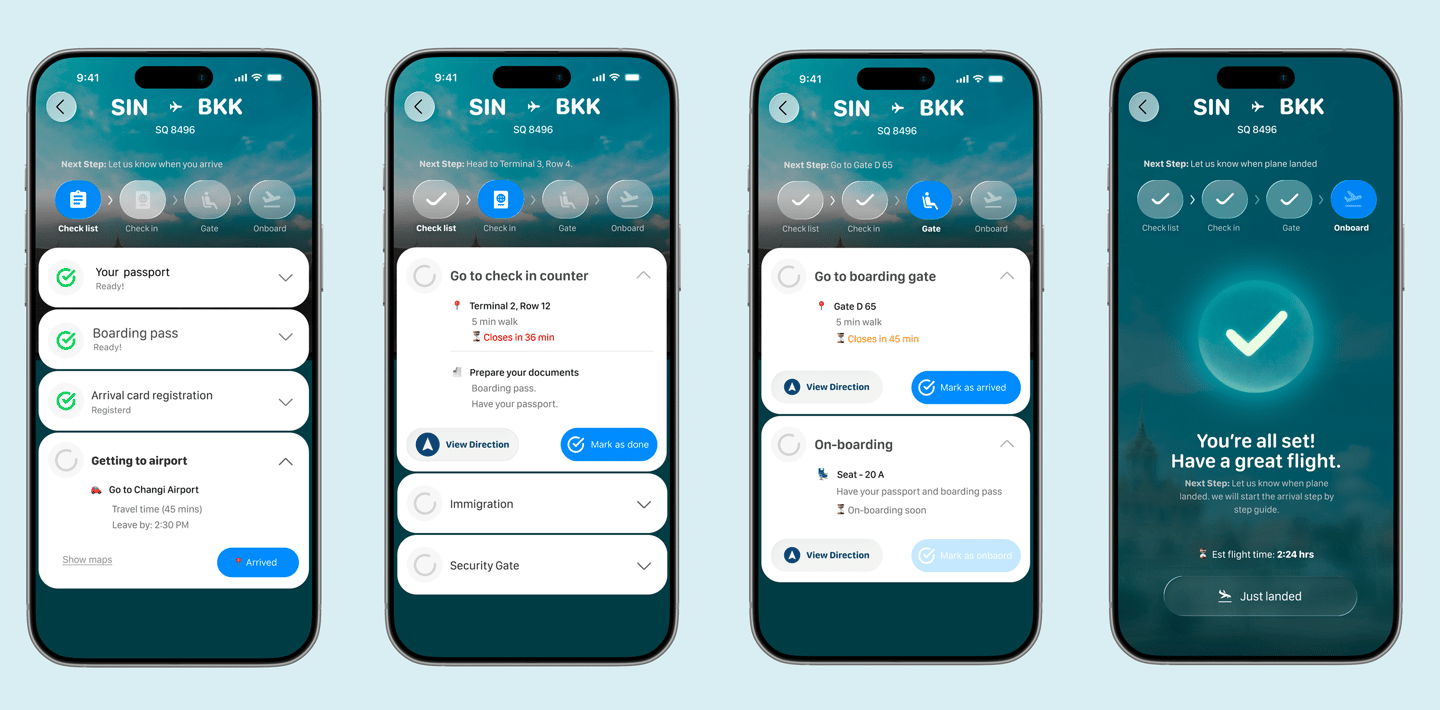
Get Ready Before You Go
Users start with essential preparations, such as documents and travel requirements.
Everything is clearly organized so they can complete tasks without missing anything before heading to the airport.
The app guides users to the correct counter with key details like location, timing, and reminders.
Actions are clear and immediate, reducing confusion during busy airport moments.
Users are guided step by step from finding the gate to preparing for boarding.
Real-time prompts and directions ensure they always know where to go and what to do next.
Once all steps are completed, the experience shifts to a calm confirmation state.
Users can relax, knowing everything is done, while the system prepares for the next phase of their journey.
Check-In Made Simple
Navigate to Your Gate
Ready for Takeoff


Core Experience
Designed to simplify complex travel into clear, guided steps.
Each interaction supports users at the right moment, without adding unnecessary friction.
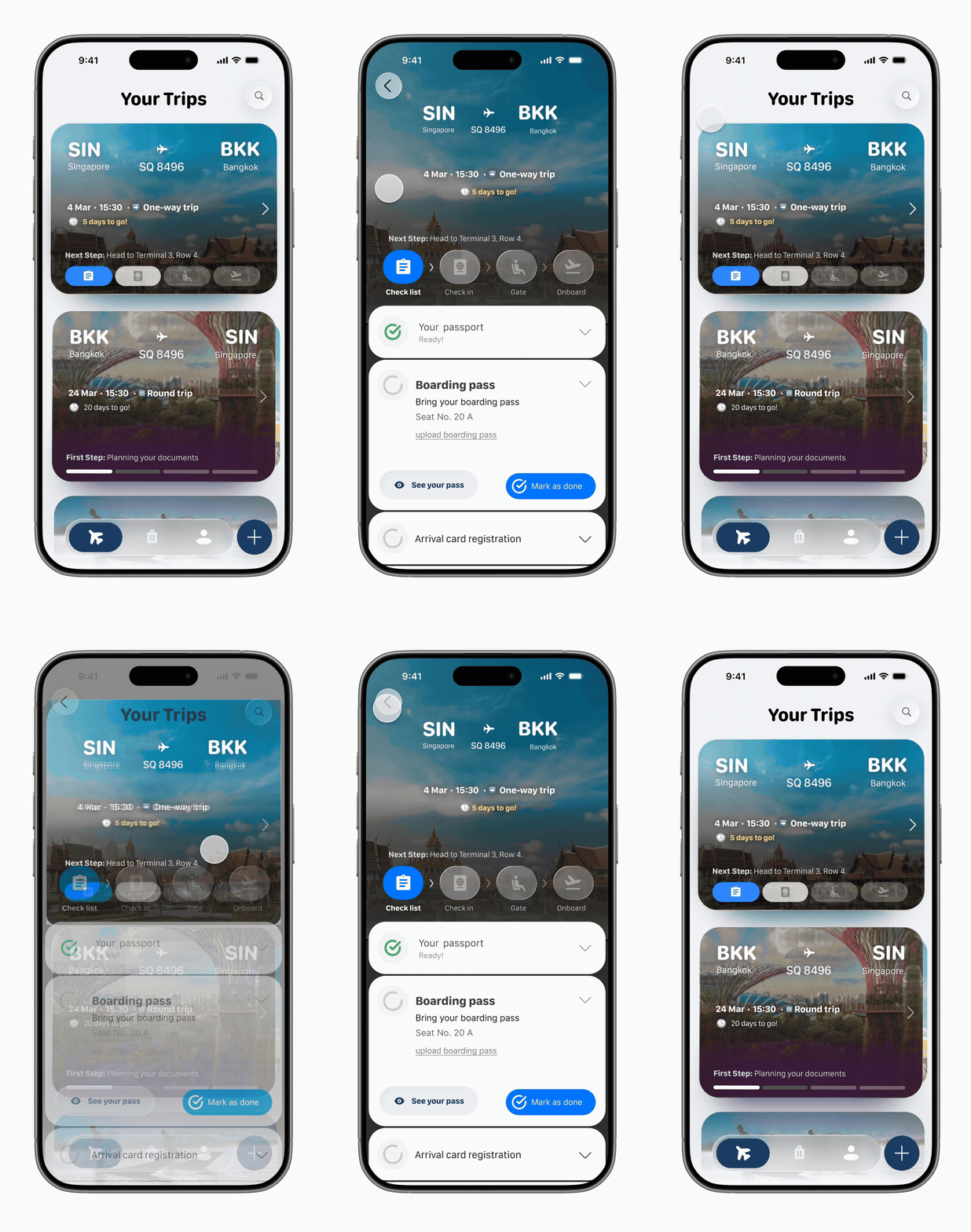
Managing Trips at ease
Designed as a card-based layout for quick scanning and immediate understanding. Each trip surfaces essential details route, timing, and type, so users don’t need to dig into deeper screens.
Upcoming trips are prioritized, helping users focus on what matters now, while progress and next steps are always visible to guide their journey.
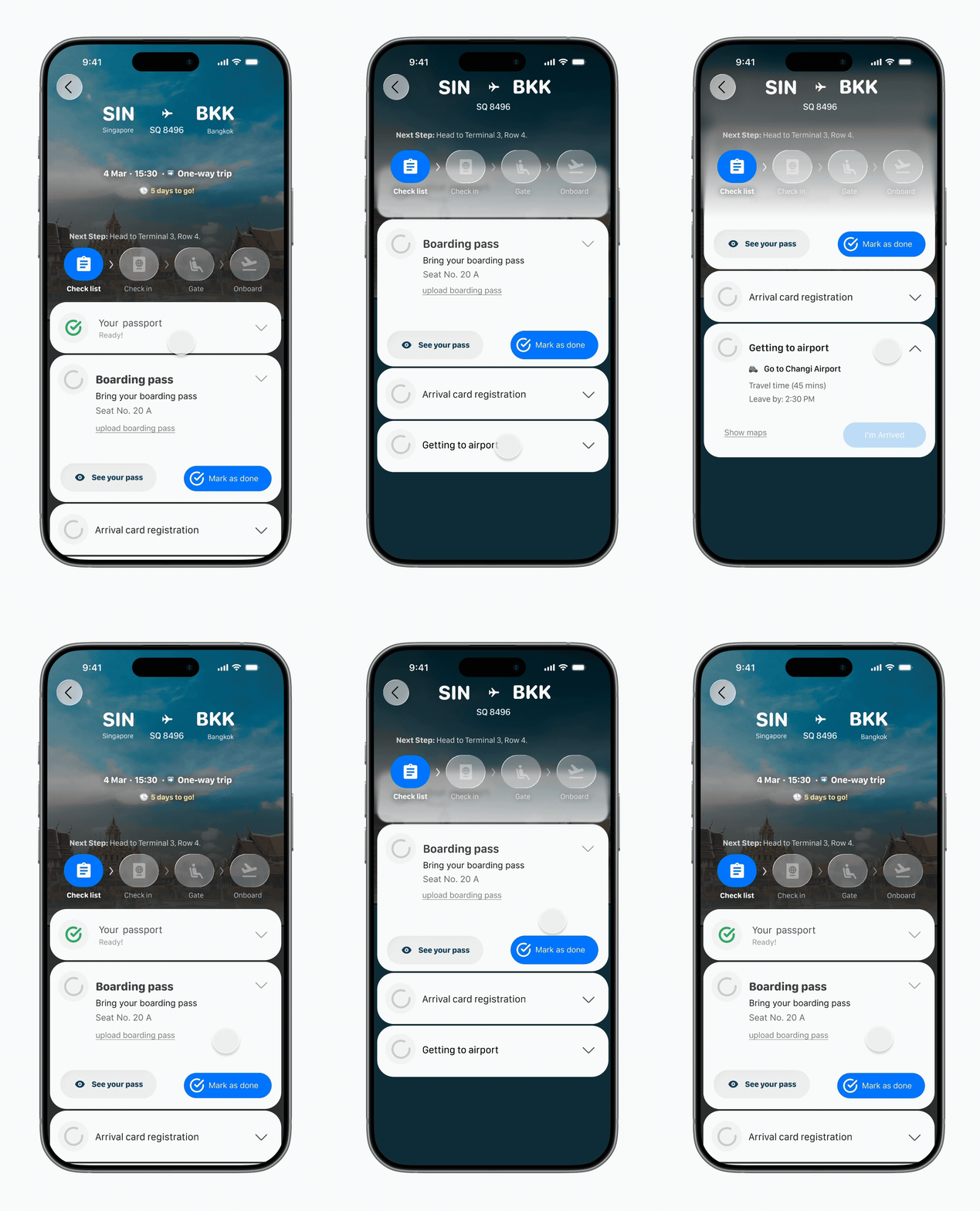
Guiding the Journey
Designed to show only what matters, when it matters.
Key trip details appear first, with each airport step revealed progressively as users move forward.
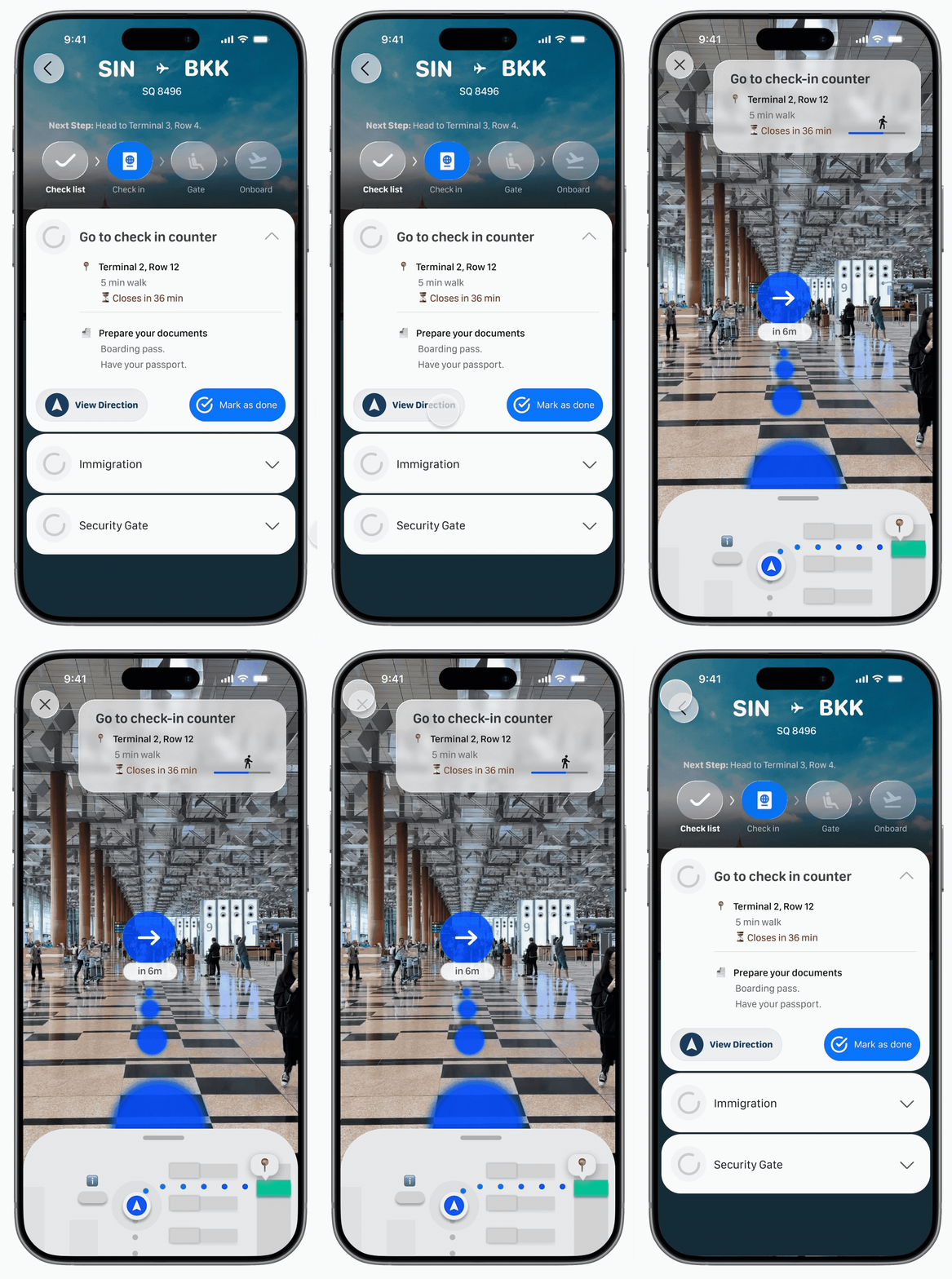
Clear Direction, in Real Space
I focused on simplifying complex travel steps into clear, guided interactions and easy to follow. Instead of overwhelmiang users with complex visuals, the AR mapping focuses on simple directional cues—making navigation intuitive, fast, and stress-free.
Fluid Interactions
Subtle motion connects each step.
Helping users stay oriented as the interface updates.
Adaptive States
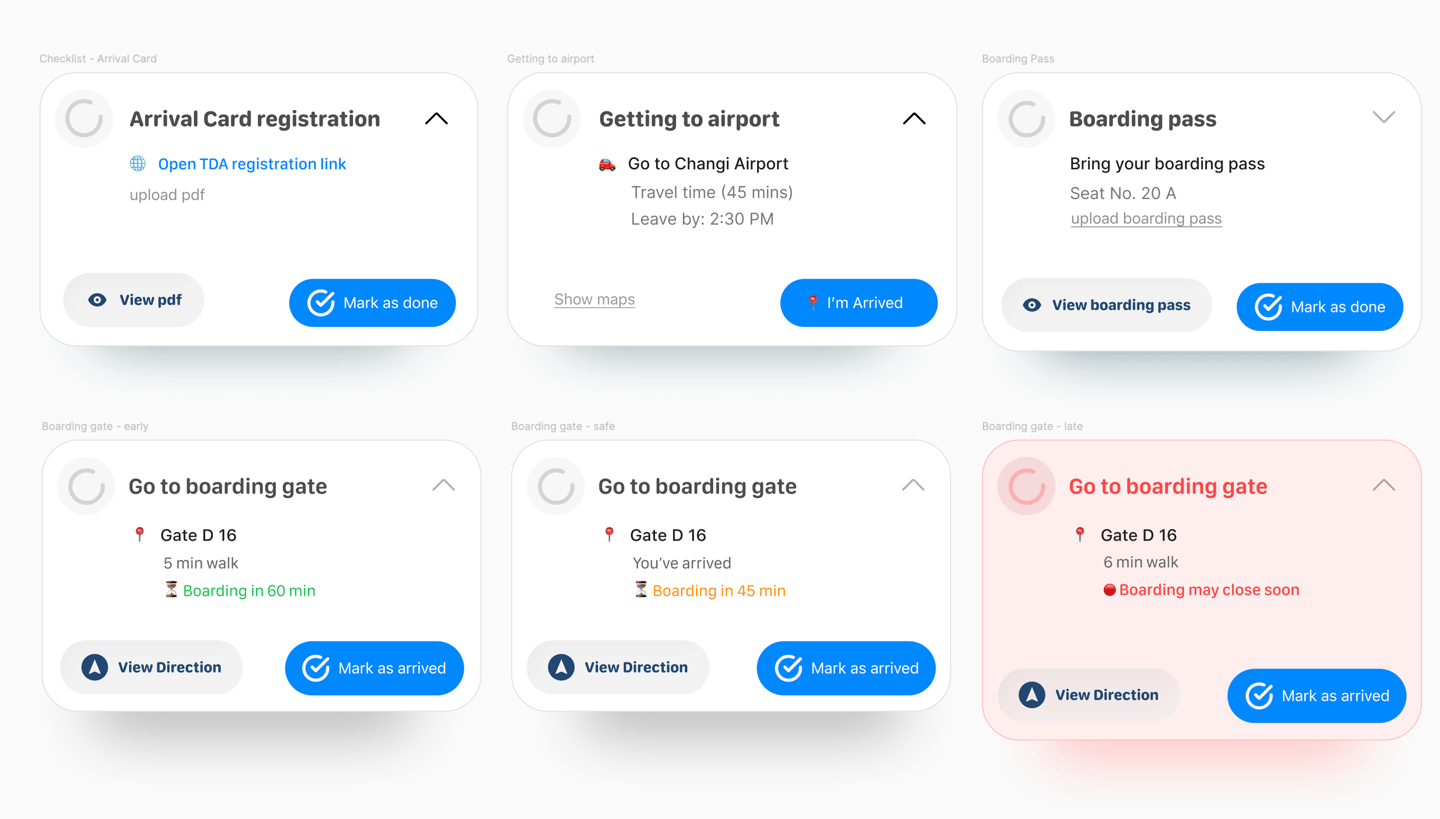
Urgency is communicated through content, color, and action prioritization.
I designed cards respond to time and context.
Airport environments are time-sensitive and stressful. Static interfaces fail to support users in these changing conditions.
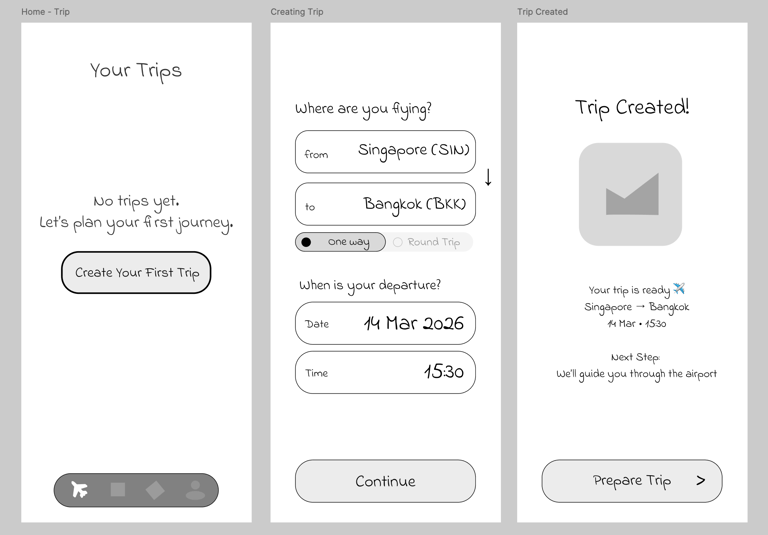
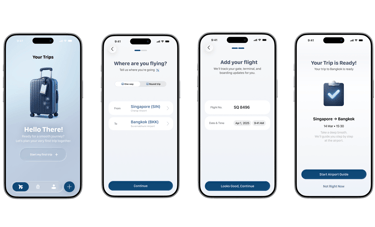
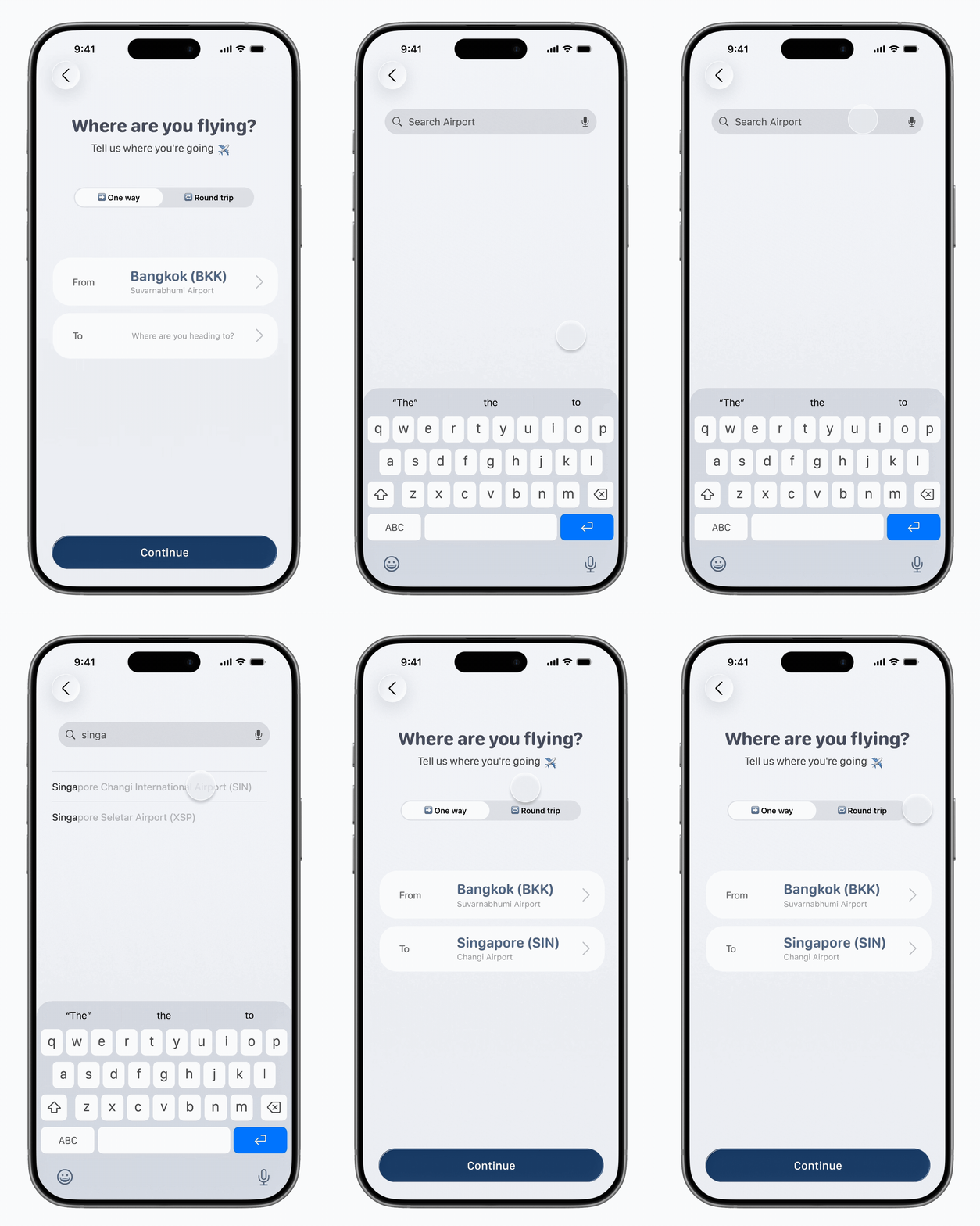
Designing a Clear Trip Setup Flow
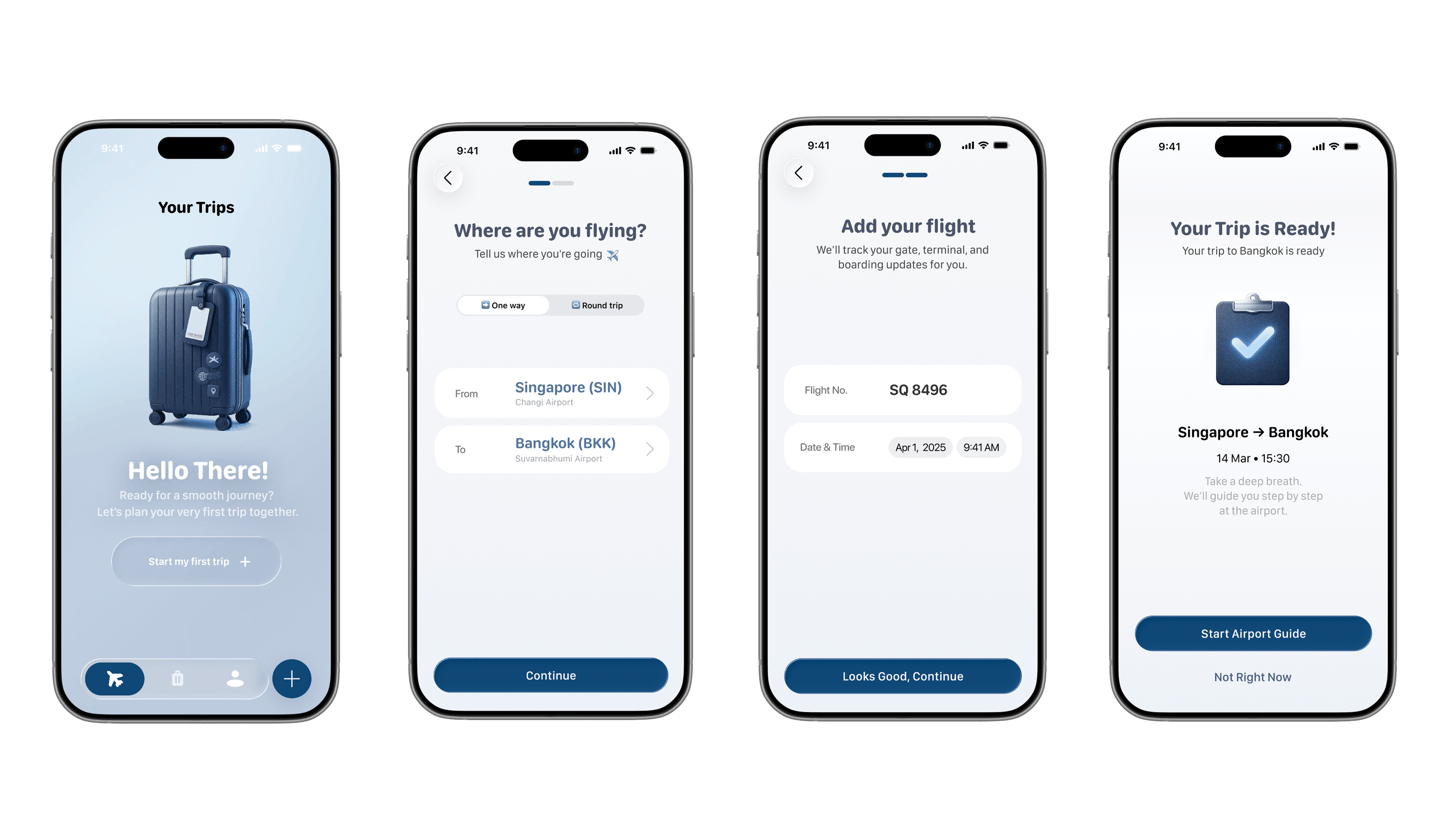
It is designed to simplify trip creation for first-time travelers by breaking the process into clear, manageable steps.
I structured the experience into three key inputs - destination, trip type (one-way or round trip), and flight details to ensure the system can provide accurate, real-time guidance later in the journey.
Instead of overwhelming users with all fields at once, each screen focuses on a single decision, reducing cognitive load and improving clarity. The final confirmation screen reinforces confidence before transitioning users into the airport guidance experience.
Usability Validation
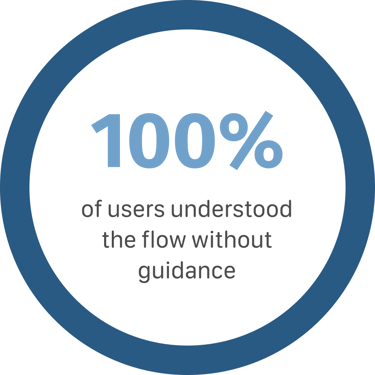
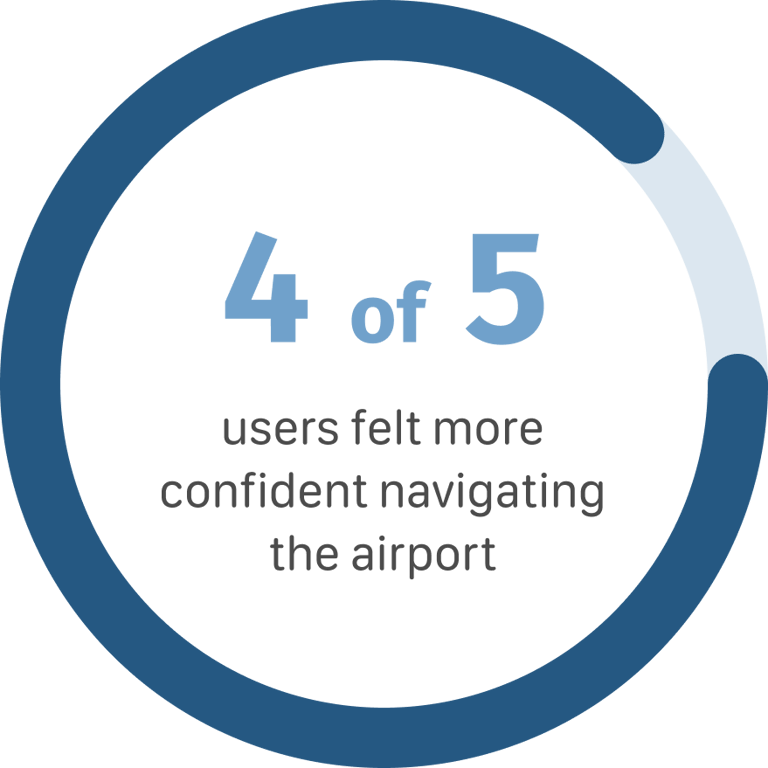
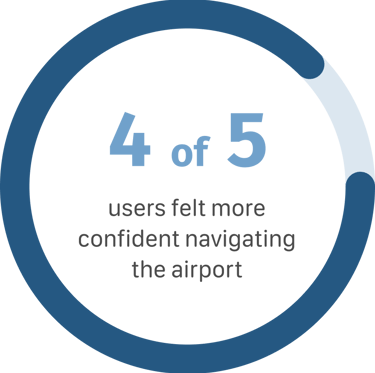
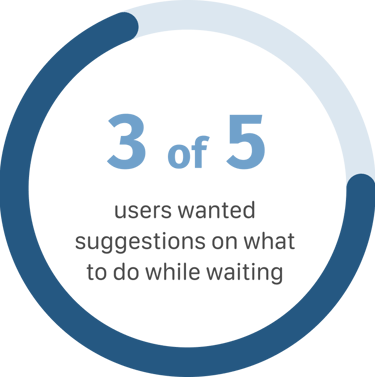
I tested the trip setup and guidance flow with first-time and occasional travelers to validate clarity, confidence, and usability under real-world conditions.
Iterations + Refinement
Evolving the system based on real user behavior
During testing, I observed how users interacted with the guidance system under different time conditions. These insights led to refinements focused on reducing hesitation, improving clarity, and making the experience more responsive to real-world scenarios.
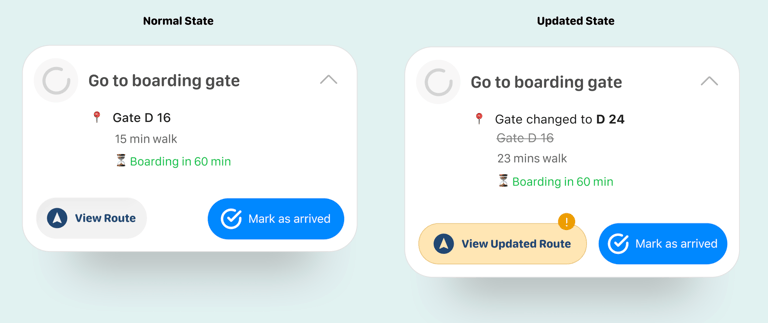
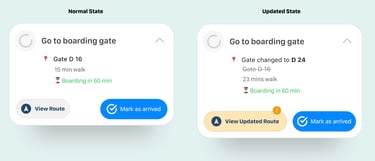
Supporting users when gate information changes
Problem
Users may already be moving toward a gate when information changes, creating confusion and hesitation.
Change
Introduced a gate-change state that immediately updates route, walking time, and urgency.
Impact
Allows users to react instantly without rechecking multiple sources.
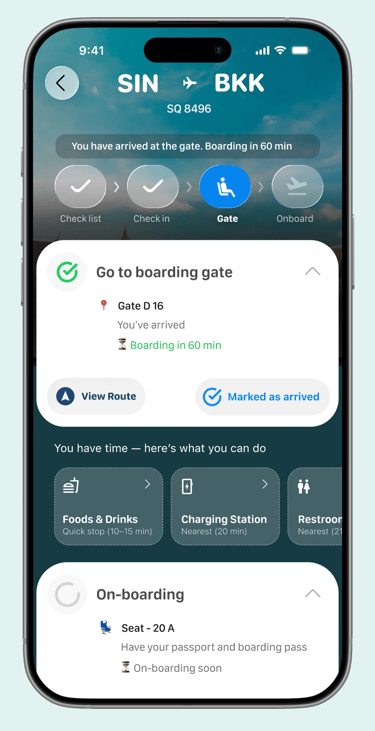
Helping users decide if they have time to explore
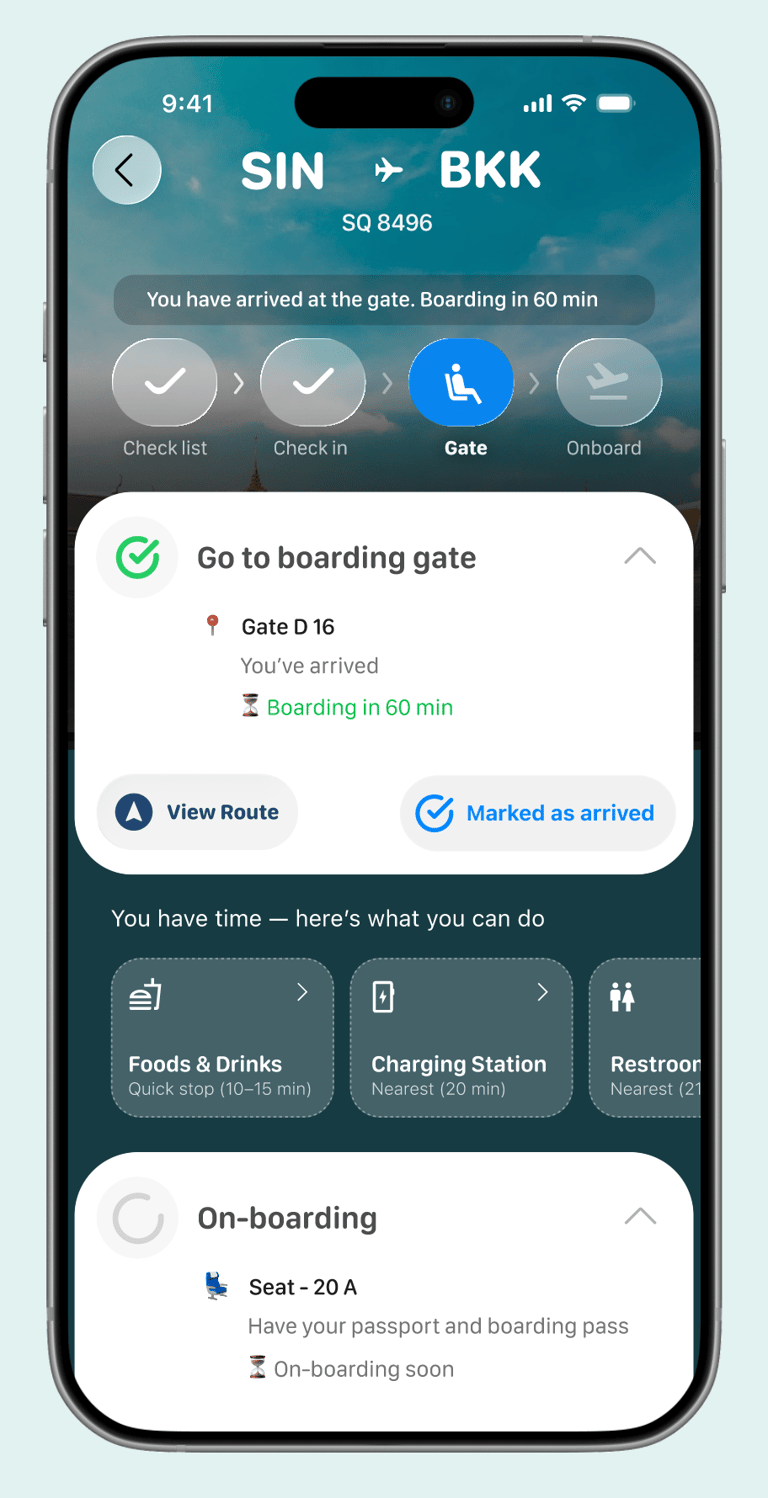
Problem
Users were interested in nearby food and services, but hesitated because they were unsure if they had enough time before boarding.
Change
Introduced time-aware cues such as “quick stop” and “nearby” to support faster decision-making.
Impact
Reduced hesitation and made recommendations feel safe and actionable.
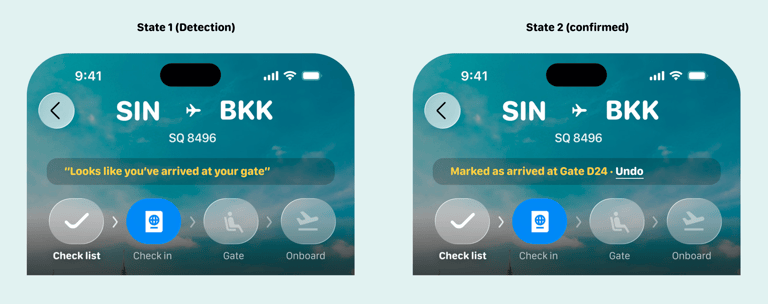
Reducing reliance on manual progress updates
Problem
Some users reached checkpoints but forgot to manually confirm progress in the app.
Change
Introduced a context-aware confirmation prompt based on user location.
Impact
Better aligns the system with real user behavior and reduces missed steps.
Final Prototype
Final Takeaway
This project highlighted that in high-stress environments, clarity matters more than features.
By structuring the journey into simple steps and adapting to time and context, the experience becomes a supportive system rather than just an interface.
It reinforced my approach to design focusing on real user behavior, reducing hesitation, and enabling confident decisions.